> ## Documentation Index
> Fetch the complete documentation index at: https://help.broadstripes.com/llms.txt
> Use this file to discover all available pages before exploring further.
# Set an SMS notification number
> Register your cell number so Broadstripes can notify you when a worker replies to a text you sent.
When you use SMS messaging, Broadstripes notifies you when a worker or member replies to one of your texts. The app needs to know where to reach you, so you register a cell phone number to receive those notifications.
This article shows you how to set up a notification number.
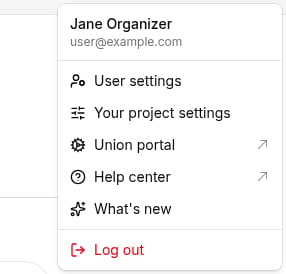
1. Log in to Broadstripes. In the top-right navigation bar, click your **user disc** (the circle showing your initials or photo) to open the user menu, then select **User settings**.
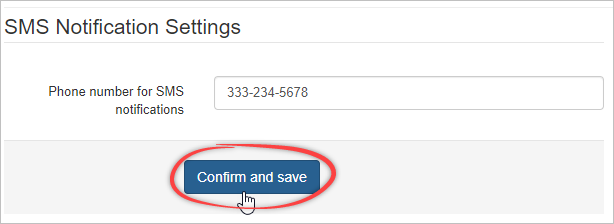
 2. On your user settings page, find the **SMS notification settings** section. Enter your cell number in the **Phone number for SMS notifications** field, then click **Confirm and save**.
 3. Broadstripes sends a text to that number to confirm it. Reply to the message with the word **YES**.
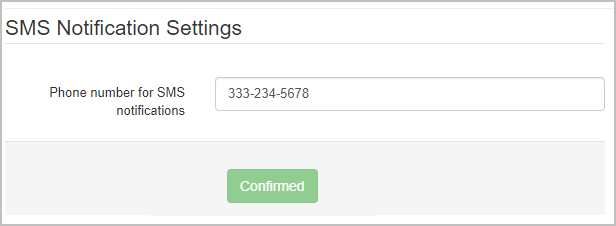
After you reply, the page updates and the button changes to **Confirmed**.
3. Broadstripes sends a text to that number to confirm it. Reply to the message with the word **YES**.
After you reply, the page updates and the button changes to **Confirmed**.
 The **SMS notification settings** section appears only when your organization is set up for texting. If you don't see it, ask your project admin whether your organization has been [verified for SMS messaging](/docs/communications/getting-a-project-ready-for-texting).
Now that your SMS notification number is confirmed, an admin can [provision a virtual number](/docs/communications/provisioning-a-virtual-sms-number) for you so you can start texting.
The **SMS notification settings** section appears only when your organization is set up for texting. If you don't see it, ask your project admin whether your organization has been [verified for SMS messaging](/docs/communications/getting-a-project-ready-for-texting).
Now that your SMS notification number is confirmed, an admin can [provision a virtual number](/docs/communications/provisioning-a-virtual-sms-number) for you so you can start texting.