

- Search for multiple values at once
- Cleaner, more concise search queries
- Faster than creating multiple individual search rules
- Works with any searchable field
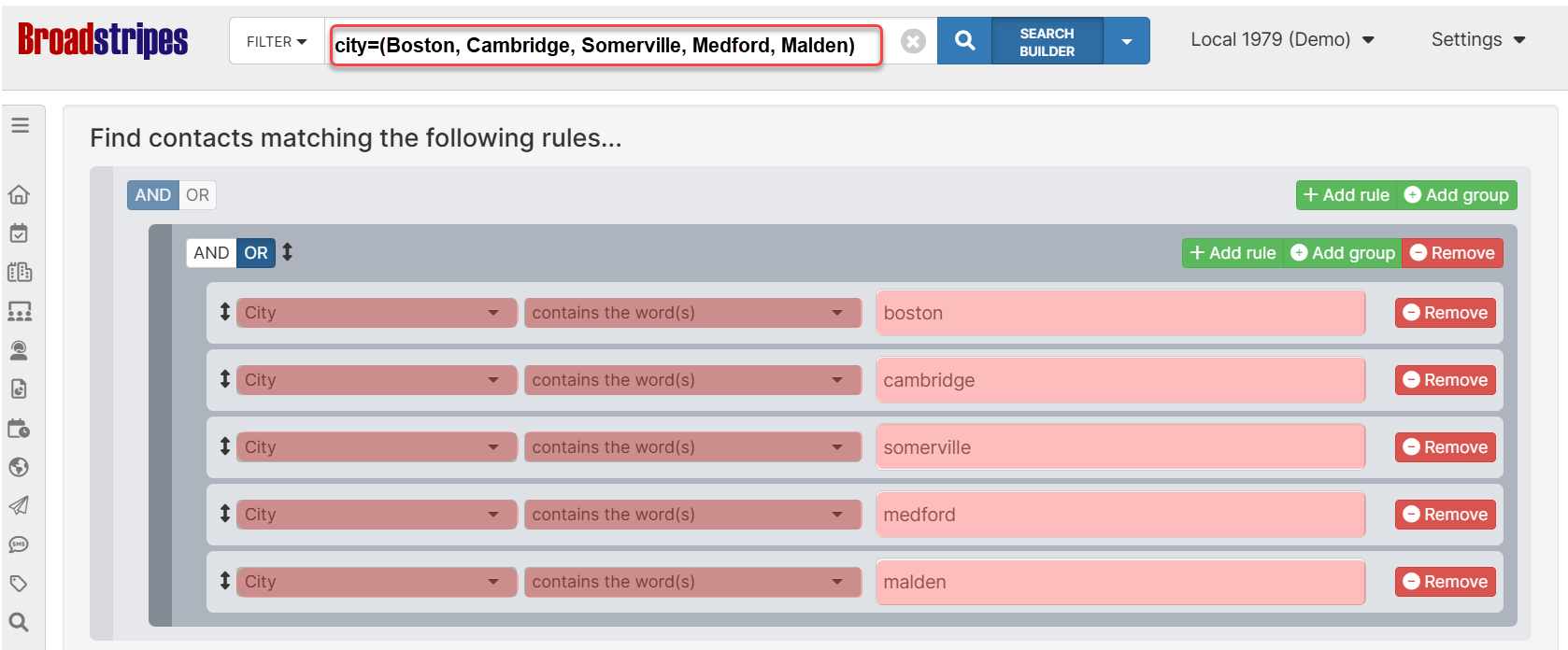
Basic syntax
The multi-value search uses parentheses with comma-separated values:Components:
- field: Any searchable field name (e.g.,
city,state,employer,name) - operator: Standard search operators (
=,:,==,!=,!:,!==) - parentheses: Wrap your list of values in
(and) - commas: Separate each value with a comma
Traditional ‘OR’ search vs multi-value search
Traditional approach To find contacts in multiple cities, you’d create multiple rules:- ✓ Shorter, more readable queries
- ✓ Easier to modify (add/remove values)
- ✓ Less prone to syntax errors
How it works: OR vs AND logic
The behavior of multi-value search depends on the operator you use: Positive operators → OR logic When using positive operators (=, :, ==), values are combined with OR logic:
!=, !:, !==), values are combined with AND logic:
Basic examples
Example 1: Search multiple cities Find contacts in Boston, New York, or Chicago:Handling values with commas
If a value itself contains commas (like company names or addresses), wrap it in quotes:- Values inside quotes are treated as a single value
- Only commas outside quotes separate values
- Use double quotes
"to wrap values